


Home > CaptureSaver Product Info > Quick Tour
Capture and save selected web content from page |
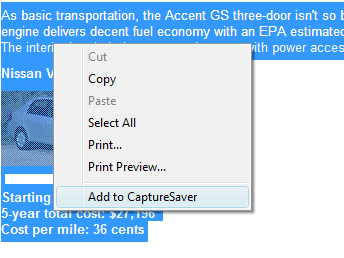
To save selected text and images from a web page, simply highlight the text and images using your mouse, then right click inside the selection and choose Add to CaptureSaver from the menu.
|
 Previous


Looking for more information?
Take a look at the Full Features List, Testimonials, or download a Free Trial.
Take a look at the Full Features List, Testimonials, or download a Free Trial.

